I knew it was coming… but still, it’s incredibly exciting now that someone has done it. They’ve combined the photo-sharing goodness of Flickr with the mapping goodness of Google Maps. The result is Geobloggers.
Basically, you can “tag” your Flickr photos with the latitude and longitude where the photo was taken, and the photo will be displayed as a push pin on a Flickr/Google Maps combo. The icing on the cake is the awesome Greasemonkey script(s) that make it really simple to add these latitude and longitude tags to your photos. How easy? Watch.
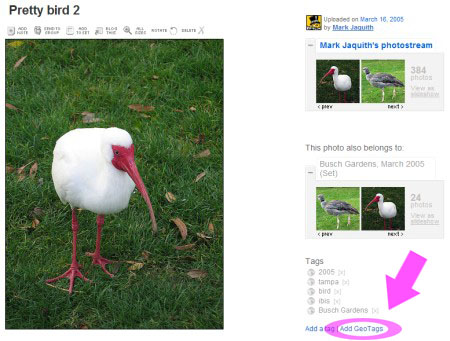
Go to the Flickr photo, and click the 'add Geo Tags' link
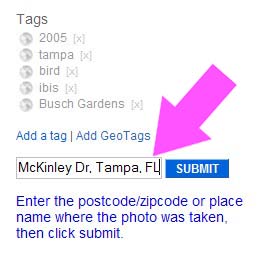
Enter a zip code or an approximate address. This photo was taken at Busch Gardens, FL, so I entered in the nearest intersection, Busch and McKinley
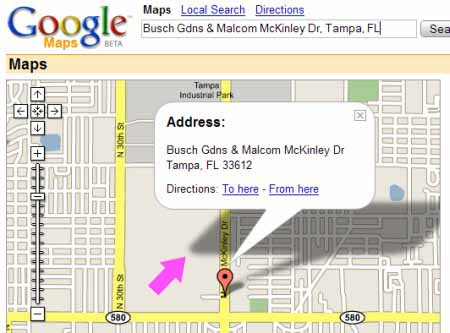
This got me close, but I wanted to show where I was in the park when I took the photo. Doubleclick to recenter and set a more accurate position. Use zoom to be more accurate.
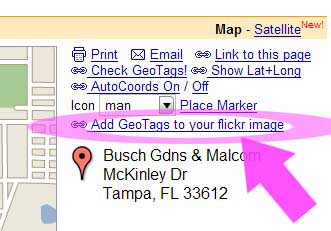
On the right, click the 'Add GeoTags to your Flickr image' link
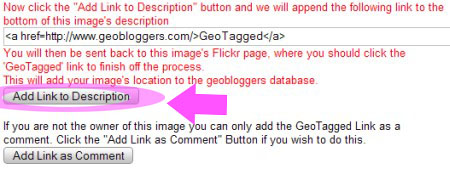
Click 'Add Link to Description.' If this isn't your photo, and you are allowed to add tags, you could click the second button.
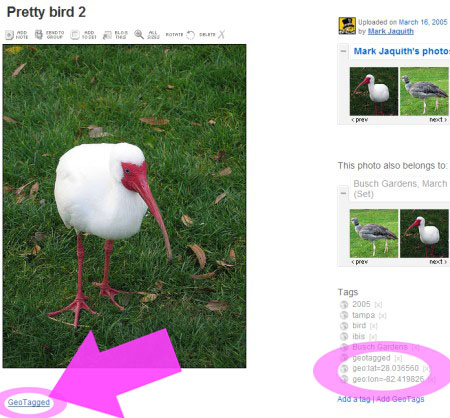
Notice that the geo tags have been added on the right. All you have to do now is click the 'GeoTagged' link in the description.
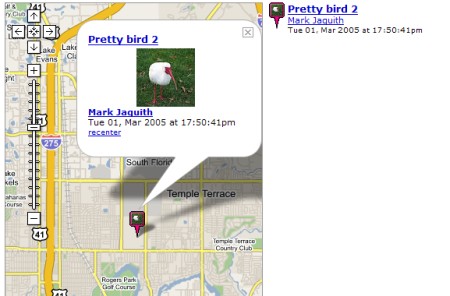
The image is now added to the Geobloggers database!
The whole process takes 10 to 15 seconds. I can’t wait to see what cool uses people find for this. This is practically begging for someone to use it to document a nationwide road trip.
the link to Greasemonkey script doesn’t work, page not found
This is steeev’s site, by the look of it: http://steeev.freehostia.com/flickr/