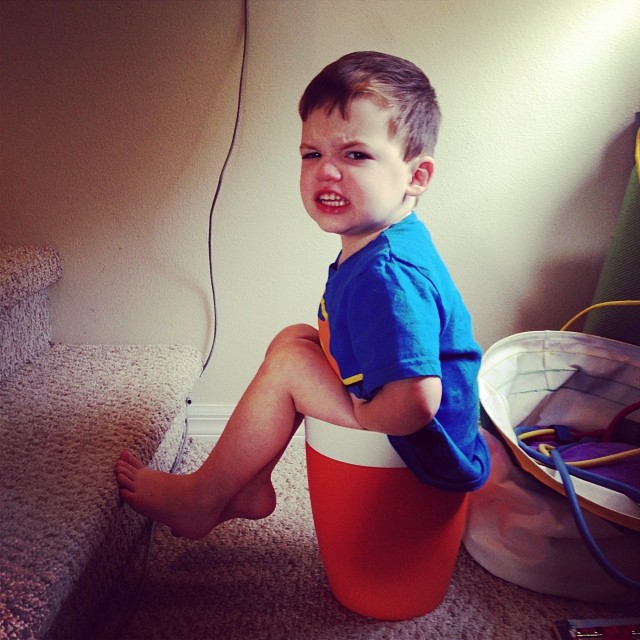
Atticus was only about 3 months old when I knew for certain that he was my son. There wasn’t ever any real doubt — but nevertheless, that one evening as I prepared to give him a bath, I was given an utterly convincing subjective piece of evidence: a look. Right as I plopped his bare buttocks into the warm water, he threw me a look. A look that said “what the fuck did you just do, you no-good ignoramus?!” I know this look, because I give people this look. Sometimes when they’re being no-good ignoramuses, and sometimes (perhaps mostly) when something annoys me and in that moment of frustration I can’t stop my emotions from manifesting as a very precise series of facial muscle movements. My eyebrows lower and draw subtly closer. My mouth opens slightly, as if I have something to say, but just can’t find the words, so appalled am I at the minor transgression that has occurred. The muscles around my eyes tighten, and my eyes themselves become cruelly intense in a way that I can’t explain but would be happy to show you if you were to spill some liquid within 20 feet of my laptop. My right eyebrow stops its descent, but my left one continues onward, making it look like my left eye is contracting in pain and making my right eyebrow look raised in incredulity. It’s quite a look, and here was my 3-month-old son casting it right at me because I dared change the temperature of his body by more than a few degrees without sufficient warning.
This is my son. Indubitably.
The certainty only grew from there. Not only did he start to resemble me physically (facially, hair-wise, in terms of his predicted adulthood height, and in his similarly unfortunate torso-to-leg ratio), but it became clear that in terms of his stubbornness, intellect, interests, and constitution, I might as well have cloned myself. Some amount of parental similarity is to be expected, but this level of gene expression by one parent seemed like an amazing opportunity.
I was given the gift of getting to raise someone eerily similar to me, but with the advantage of knowing everything I have learned about myself.
One of the first things that Sarah and I learned with Atticus was that he, like me, wanted to feel like he was in control of his immediate environment, and in control of the choices that affected him. Of course, we didn’t want to spoil him or always let him get his way — we’ve seen what that does to kids. So began a very carefully orchestrated campaign to create a system of “choices” that would give him short-term control over various aspects of his life but that would also later converge in ways we could predict. For example, instead of telling him he had to take a bath, we could give him the option of taking a bath and then reading a story, or reading a story and then taking a bath. You might laugh, but just letting him choose the order of the events made him feel like he was calling the shots. What would have been a screaming fit about “NO TAKE BATH!” instead became “oh, okay, story first!” This is how you win with a strong-willed child.
Now that he’s a little bit older, he’s grown wise to some of our usual “plays”. So now when we ask him if he wants to take a bath, he says “NO take bath NO take shower.” He knows the script. But as he’s grown enough to understand these “choice” scenarios, he has also started to truly understand the concept of consequences. Enter phase two.
Sarah and I don’t treat “punishment” as punitive. Really, we don’t even use that word. Instead, there are consequences. Consequences are great. Consequences aren’t angry. Consequences aren’t capricious. Consequences just are.
Well, that’s a simplification. Yes, we create many of the consequences, but they are mostly naturally derived or based on solid concepts.
- If you are leaving the table, you put your plate in the sink
- If you’re not done eating, you stay at the table
- If you hit, you sit in time-out
- If you scream when we leave the pool, we don’t come back for a while
- If you’re well-behaved at swimming lessons, you get a Ring Pop
There are dozens of these. Atticus has learned them. And he understands that as far as he is concerned, they just are. And that brings us to today. Atticus is three years old.
Atticus has long been a fan of his binkies (pacifiers). He found them soothing as an infant, and continued to enjoy them as a toddler. We had reduced them to only being used at bedtime and in the car, but attempts to take those last strongholds of pacifier use proved difficult. The first thing he asks when I put him into the car is “Have a binky? Green binky?” I would try my Jedi mind powers on him. “You don’t need a binky”. It didn’t work. There would be a screaming fit.
Then it hit us: consequences.
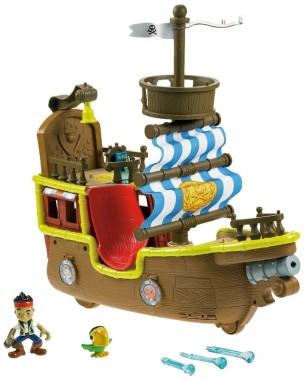
There was this pirate ship he played with at a friend’s birthday party recently. And oh my was this a cool pirate ship. It made noise, it had a working cannon, and a crocodile would burst out the side of it when you pressed a button. It had real cloth sails. He was in love.
We sat Atticus down and asked him if he’d like a pirate ship toy. “Oh yes”, he replied, immediately. “But here’s the thing”, Sarah added. “You have to give them your binkies to get it.” I was pretty sure he didn’t understand what she meant. “That means no more binkies, buddy. They’ll be gone forever.”
We went back and forth a bit. I wanted to give it a shot, even though I didn’t think he fully grasped the concept. He and I gathered his binkies (four in all) and put them in a ziplock bag. “This is what we have to give them to get the ship”, I said. He and I bundled into the car. “Need a binky?” he said/asked, as usual. I lifted up the bag of them sitting next to me on the seat “but I thought you wanted to trade them in for a pirate ship!” He furrowed his brow. “Oh, okay.” I pulled out of the driveway. Target was a short 5 minute drive away. After taking him out of the car, I went to hold his hand for the walk through the parking lot “NO HOLD HAND” he said in his sing-song “I’m being contrary” voice. “You have to hold my hand in the parking lot, buddy. Just until we get to the sidewalk.” He pulled against my hand as we walked. I kept my grip. At the sidewalk I let his hand loose and said he could walk by himself the rest of the way “oh yeah, by myself” he said, strutting into the store next to me, full of independence.
The pirate ship wasn’t in the aisle I expected. We spent a good five minutes going up and down the aisles looking for it. “Do you see a pirate ship, Atticus?” He shrugged “I can’t find it!” Eventually I figured out that it was in an aisle beyond the two pink-painted rows of gender role reënforcing “you’re-only-good-for-childcare-and-cooking” bullshit that makes me so crazy every time I’m in the toy section. I saw the pirate ship from a distance, but said nothing. As we approached it, I stopped, pointed, and said “hey, look!” Atticus turned toward the pirate ship. The pirate ship he had played with before, thought was totally awesome, and really wanted to be his. I was all grins, looking at him to soak up his adorable excitement.
But it didn’t come. His face didn’t light up. His dimples didn’t emerge. He didn’t give me an open-mouthed grin or announce to me “I’m so happy Dada” as he frequently does when we’re out doing a dad-and-son activity. Instead, his little face sank. His eyes turned vacant, and his head turned down until his chin was on his chest. “This is the ship!” I said, kneeling down next to him. “Don’t you want to play—” and then his arms were around me. Turning away from the shelf he was hugging me tightly and burying his face into my neck. Was he embarrassed? Weirded out that I knew about the ship even though it was Sarah who was with him at the birthday party? Overwhelmed? “Thanks for the hug, buddy…”, I said, trying to size up the situation. I waited a good ten seconds and then put my arms down and started to pull back. He gripped me even more tightly.
Oh fuck. He understands. He really and truly understands what is at stake here and doesn’t want to go through with it.
This wasn’t what I expected. I thought that either he wouldn’t fully understand, or that he’d understand and easily make a decision. I hadn’t accounted for the possibility that he would fully understand and then be devastated by the seriousness of the decision he had to make.
So there I was, kneeling on the floor of a toy aisle in Target, engaged in a minutes-long silent hug with a 3-year-old who was doing the first real soul-searching of his life, and I was blinking back tears as the other shoppers rolled by, oblivious of the moment that was transpiring.
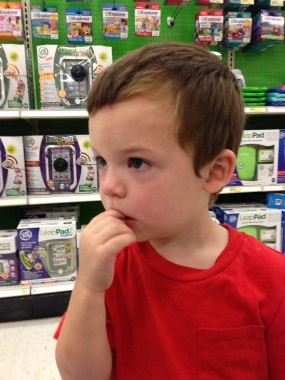
Eventually I got him to release me from the death grip. “Are you sad?” I asked him. “No”, he said, calmly, and seriously. He had distinctly oriented his body and his head so that he couldn’t see the shelf with the pirate ship.
“Is something wrong?”
“No.”
“Do you want to play with that pirate ship?”
“…No.”
But he did want to. I know he did. He just didn’t want to play while having the knowledge that taking it home would have irrevocable consequences.
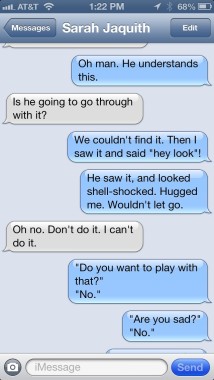
He took my hand. “Come on, Dada.” He led me to the end of the aisle, where we couldn’t see the pirate ship any longer. He stopped. Still holding my hand, he looked down at the floor. Not sad, but all manner of serious. Shell-shocked, even.
I texted my wife, and relayed what had happened. “My heart is breaking” she said. “Shut it down.”
I didn’t think I could go through with it either. The whole point was to make it his choice, right? He understood what the choice meant. And he wasn’t ready. We’d just try again in a few months. No big deal. It will be better if it’s his choice.
We started to leave. He was walking faster than I was, leaning forward and pulling me through the aisles, like he couldn’t bear to even be in the vicinity of his terrible decision. And then I saw it. The Thomas and Friends Take-n-Play Lion Canyon playset. Atticus is a huge Thomas the Tank Engine fan. He knows all the characters, the songs, and the episodes. He knows the difference between a tender car, a freight car, and a caboose. And this was one cool looking Thomas playset, with a roller coaster ramp off of a mountain, divergent tracks that met at the bottom, a gate, a little lion that Thomas was towing as his cargo. Big things for kids his age. “Hey, what do you think of that, buddy?” There was a slight flicker of excitement in his eyes. “Would you like to look at this one?” I asked. “Yeah, okay.” I got it down, and he inspected the set closely. He touched what he could, through the open front of the box. He wordlessly turned it around and looked at the picture on the back.
“Would you like to take this one home?”
“Okay… this one.”
“This is the one you want?”
“This one.”
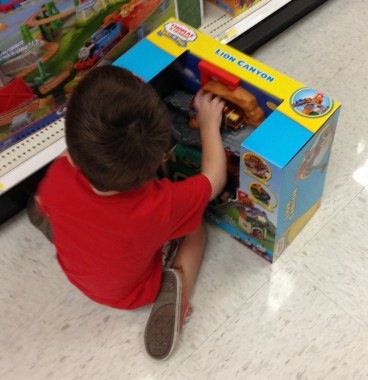
He wasn’t excited. He was resolved. I knelt down again, and took the plastic bag of binkies from my back pocket. I showed it to him.
“Do you understand that if you get this toy, we’ll need to give Target the binkies?”
“Yeah.”
“So there will be no more binkies. They’ll be gone. Gone forever. You can’t have them again.”
“Okay.”
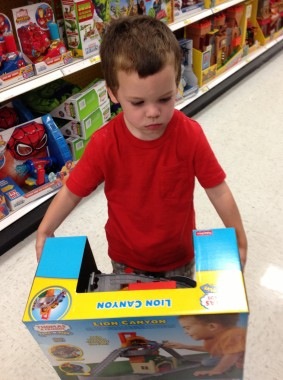
I handed him the set. He stood there, holding it, looking off into space. Refusing to make eye contact with me. He had made his decision. And he knew the consequences. He was giving up something precious and comforting to him. And even though it was worth it, he still felt the weight of it. As did I.
We started the long trudge up to the front of the store. About halfway there, in front of a display of Isaac Mizrahi-designed housewares, he paused. I didn’t notice for a few steps. When I did, I turned around. He looked like he was in pain. I knelt down for a third time. “You sure you want to do this?” I asked him. He paused. He considered. “Yeah”, he said, quietly, and continued walking with the giant playset, easily twice his width.
I was hoping to find an older, motherly type who might understand what was happening for the actual trade off, but apparently Saturday morning is 19-year-old male cashier day at Target. “Rocco” had a short line, so we queued. When we got to the front, Rocco saw the Thomas playset and got excited. “Thomas! I used to love Thomas when I was young.” The set was scanned. “Okay, here’s the deal”, I started. “He’s buying this set with these”, and I held up the bag. “Can you accept these as his portion of the payment?” Rocco said he could. “Ready, Atticus?” I asked. “Yes”, he said, some of the seriousness lifting. We handed the bag over to Rocco. Rocco slammed the bag into the trash can on his side of the register. The bag of well-used pacifiers hit the bottom with a satisfying thud. “Done!” exclaimed Rocco, smiling, looking at us, and not once having glanced at the trash can. I swiped my card and took the toy under my arm. As we walked out, Atticus wrapped his arm around my leg and leaned against my thigh. My own personal leg splint. On the sidewalk, which had earlier been his zone of freedom from hand-holding, he fumbled for my hand with his chubby fingers. We walked to the car, hand-in-hand, in silence.
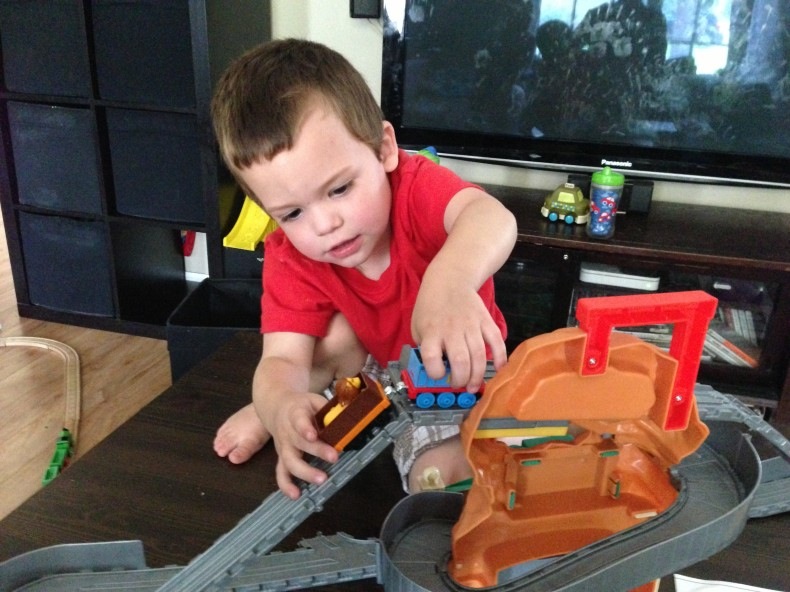
As I strapped him into his car seat, he talked to me about being excited to see his mother and his brother. He uttered not one word about wanting a binky. I let the playset, still in its box, ride on the seat next to him, so he could look at it. “I’m so proud of you,” I said back to him on the drive home. “Of course, Dada”, he said — his default pseudo-patronizing I-don’t-know-what-that-means response. We drove on, in silence. “Are you okay, buddy?”, I asked, turning onto the main street of our development. He cheerfully replied “yes Dada!” It seemed that he was at peace with his decision. I took a deep breath. I felt good about it too. And for the first time since his initial hug, I didn’t feel like there was a golf ball stuck in my throat.
Then a small voice came from the back of the car.
“Dada?”
“Yeah, buddy?”
“Binkies are at Target now.”
Not once during this entire episode did he shed a single tear. I cried the rest of the way home.
]]>